

Can a Desktop Pad Printer print on wood pads?
Dec 30, 2025
Hey there! As a supplier of Desktop Pad Printers, I often get asked a bunch of questions about what these nifty machines can and can't do. One question that pops up quite a bit is, "Can a Desktop Pad Printer print on wood pads?" Well, let's dig into this topic and find out.
First off, let's talk a bit about what a Desktop Pad Printer is. It's a compact, user - friendly printing machine that's great for small - scale printing jobs. It uses a silicone pad to pick up ink from a printing plate and transfer it onto the surface of an object. These printers are super versatile and can be used in a variety of industries, from crafts to manufacturing.

Now, let's get to the main question: Can it print on wood pads? The short answer is yes, it can! But, like with any printing job, there are a few things you need to keep in mind.
Compatibility of Ink and Wood
The type of ink you use is crucial when printing on wood. You can't just use any old ink. You need an ink that's specifically formulated for printing on porous surfaces like wood. Solvent - based inks are a popular choice because they penetrate the wood fibers, providing a more durable and long - lasting print. Water - based inks can also work, especially if you're going for a more eco - friendly option. However, they might not adhere as well as solvent - based inks and could require a clear coat to protect the print.
Surface Preparation
Before you start printing on your wood pads, you need to make sure the surface is clean and smooth. Any dust, dirt, or rough spots can affect the quality of the print. You can sand the wood to create a smooth surface, and then wipe it down with a clean, dry cloth to remove any sawdust. If the wood has a natural oil finish, you might need to use a degreaser to remove the oil, as it can prevent the ink from adhering properly.
Printing Process
Once you've got the right ink and prepped the wood surface, it's time to start printing. The Desktop Pad Printer works by first applying the ink to a printing plate. The silicone pad then picks up the ink from the plate and transfers it onto the wood pad. You'll need to adjust the pressure and speed of the printer to get the best results. Too much pressure can cause the ink to spread or smudge, while too little pressure might result in a faint or incomplete print.
Benefits of Printing on Wood with a Desktop Pad Printer
There are several benefits to using a Desktop Pad Printer to print on wood pads. For one, it allows for high - precision printing. You can print detailed designs, logos, or text with ease. This makes it perfect for custom - made wooden products, like personalized coasters, wooden signs, or small wooden boxes.
Another benefit is the cost - effectiveness. Desktop Pad Printers are relatively inexpensive compared to larger industrial printers. They also use less ink, which can save you money in the long run. And because they're compact, they don't take up a lot of space, making them ideal for small businesses or home workshops.
Our Product Range
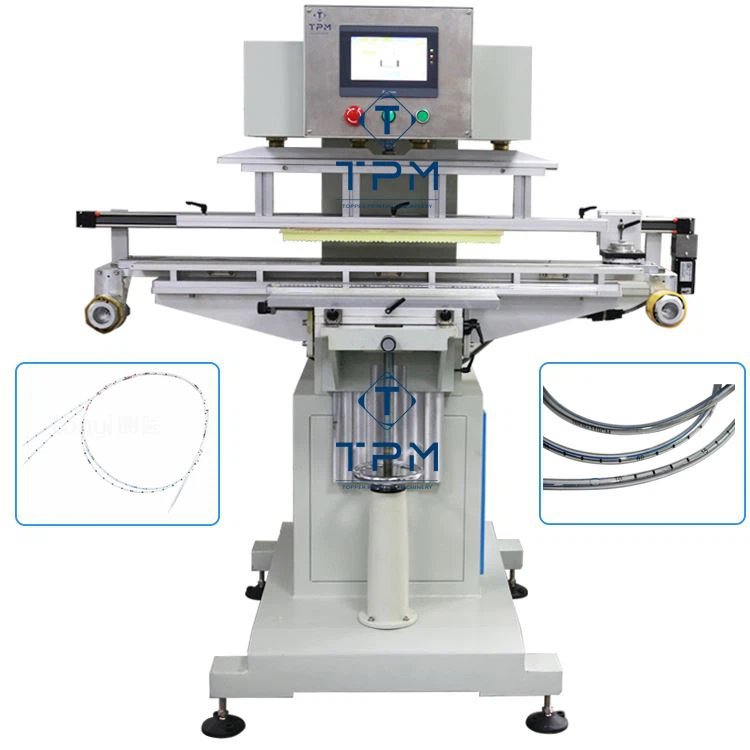
At our company, we offer a wide range of Desktop Pad Printers to suit different needs. For example, the Small Tampo Pad Printing Machine is great for small - scale printing jobs. It's easy to operate and can handle a variety of printing tasks. If you're in the medical industry and need to print on catheters, our Servo Medical Catheter Pad Printing Machine is the perfect choice. It's designed to meet the high - precision requirements of medical device printing. And for those who need a more advanced option, our Laser Pad Printing Machine offers even greater accuracy and speed.
Challenges You Might Face
Of course, printing on wood with a Desktop Pad Printer isn't without its challenges. One common issue is ink bleeding. This can happen if the wood is too porous or if you're using too much ink. To prevent ink bleeding, you can try using a primer or a sealant on the wood before printing.
Another challenge is color fading. Over time, the print on the wood might start to fade, especially if it's exposed to sunlight or moisture. To prevent this, you can apply a clear coat over the print to protect it.
Tips for Success
Here are some tips to help you get the best results when printing on wood with a Desktop Pad Printer:
- Test First: Always do a test print on a scrap piece of wood before printing on your final product. This will allow you to adjust the settings and make sure the print looks good.
- Use a Mask: If you're printing a complex design, you can use a mask to protect the areas of the wood that you don't want to print on.
- Clean Regularly: Keep your printer clean to ensure consistent performance. Clean the printing plate, silicone pad, and ink reservoir regularly to prevent ink buildup.
Conclusion
So, to sum it up, a Desktop Pad Printer can definitely print on wood pads. With the right ink, proper surface preparation, and a bit of practice, you can achieve high - quality, durable prints on wood. Whether you're a small business owner looking to add a personal touch to your wooden products or a hobbyist wanting to create unique wooden crafts, a Desktop Pad Printer is a great tool to have.
If you're interested in learning more about our Desktop Pad Printers or have any questions about printing on wood, don't hesitate to reach out. We're here to help you find the perfect printing solution for your needs. Let's start a conversation and see how we can work together to bring your printing ideas to life!
References
- "Pad Printing Technology Handbook" - A comprehensive guide on pad printing techniques and best practices.
- "Wood Finishing for Printers" - An article that provides insights into preparing wood surfaces for printing.