

How to troubleshoot pad sticking problems in rotary pad printing?
Dec 04, 2025
Hey there! As a supplier of rotary pad printing equipment, I've seen my fair share of issues with pad sticking. It's a common headache that can throw a wrench in your printing process, but don't worry – I'm here to walk you through how to troubleshoot these pesky problems.
Understanding Pad Sticking
First off, let's talk about what pad sticking actually is. When you're doing rotary pad printing, the pad is supposed to pick up ink from the cliche and transfer it cleanly onto the substrate. But sometimes, the ink doesn't release properly from the pad, and it starts to stick. This can lead to all sorts of problems, like uneven prints, missing details, and a whole lot of wasted time and materials.
There are a few different reasons why pad sticking might occur. It could be due to issues with the ink, the pad material, the printing conditions, or even the equipment itself. Let's break down some of the most common causes and how you can fix them.
Ink-Related Issues
One of the most common culprits behind pad sticking is the ink. If the ink is too thick, it can be difficult for the pad to release it onto the substrate. On the other hand, if the ink is too thin, it might not adhere properly to the pad in the first place.
- Ink Viscosity: Check the viscosity of your ink. You can use a viscosity cup to measure it. If the ink is too thick, you can add a small amount of thinner to it. Just be careful not to add too much, as this can also cause problems. On the flip side, if the ink is too thin, you might need to add a thickener.
- Ink Drying Time: Another issue with ink is the drying time. If the ink dries too quickly on the pad, it can start to stick. Make sure you're using the right type of ink for your printing process and that you're following the manufacturer's recommendations for drying times. You might also want to consider using a slower-drying ink or adjusting the temperature and humidity in your printing environment.
Pad Material and Condition
The pad itself can also be a source of problems. The type of pad material you use, its condition, and how you maintain it can all affect how well it releases the ink.
- Pad Material: Different pad materials are better suited for different types of printing. For example, silicone pads are commonly used because they're flexible and can pick up and transfer ink well. However, if you're printing on a rough or uneven surface, you might need a harder pad. Make sure you're using the right pad material for your specific application.
- Pad Cleaning: Regularly cleaning your pads is essential to prevent ink buildup and sticking. You can use a pad cleaner or a mild solvent to clean the pads after each use. Make sure you dry the pads thoroughly before using them again.
- Pad Wear and Tear: Over time, pads can wear out and lose their ability to release ink properly. If you notice that your pads are starting to show signs of wear, like cracks or a loss of flexibility, it's probably time to replace them.
Printing Conditions
The environment in which you're printing can also have a big impact on pad sticking. Temperature, humidity, and air circulation can all affect how the ink behaves and how well the pad releases it.
- Temperature and Humidity: High temperatures and humidity can cause the ink to dry too quickly on the pad, leading to sticking. On the other hand, low temperatures and humidity can make the ink too thick. Try to maintain a consistent temperature and humidity in your printing area. You might need to use a heater or a dehumidifier to control these conditions.
- Air Circulation: Good air circulation is important to prevent the buildup of fumes and to keep the ink from drying too quickly. Make sure your printing area is well-ventilated. You might also want to consider using a fan to improve air circulation.
Equipment Issues
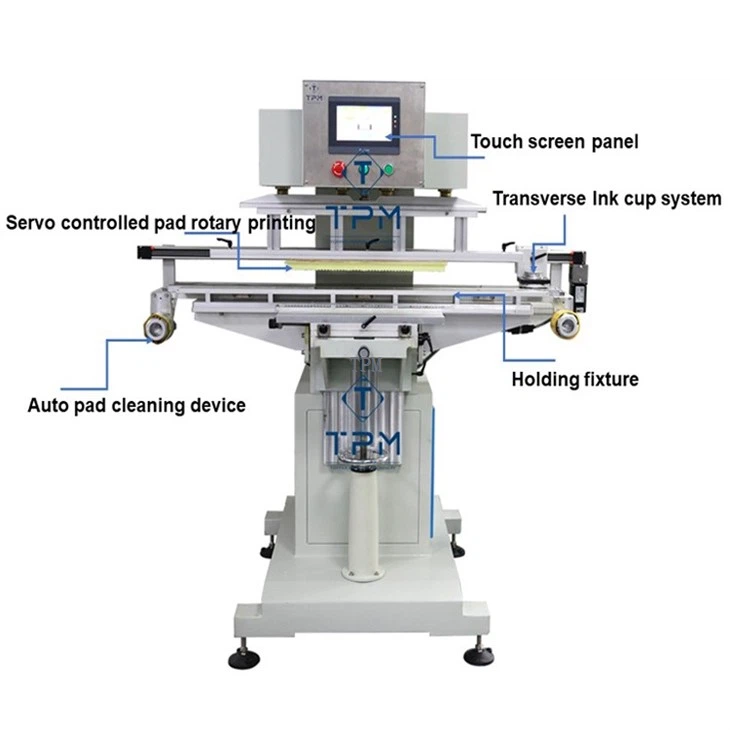
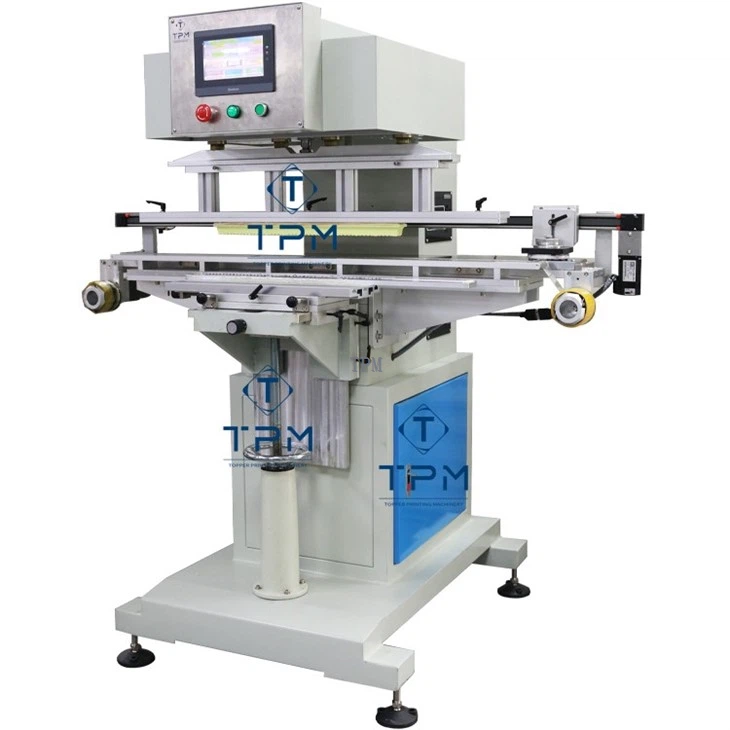
Finally, the rotary pad printing equipment itself can sometimes be the cause of pad sticking. Issues with the cliche, the ink cup, or the pad mounting can all affect how well the ink is transferred.
- Cliche Condition: The cliche is the plate that holds the ink pattern. If the cliche is dirty, damaged, or not properly etched, it can cause problems with ink transfer. Make sure you're cleaning the cliche regularly and inspecting it for any signs of damage.
- Ink Cup Alignment: The ink cup needs to be properly aligned with the cliche to ensure that the ink is evenly distributed. If the ink cup is misaligned, it can cause uneven ink pickup and sticking. Check the alignment of the ink cup and make any necessary adjustments.
- Pad Mounting: The way the pad is mounted on the printing head can also affect how well it releases the ink. Make sure the pad is securely mounted and that there's no excessive pressure on it.
Troubleshooting Steps
Now that we've covered the most common causes of pad sticking, let's go through some troubleshooting steps you can take to fix the problem.
- Check the Ink: Start by checking the viscosity and drying time of the ink. Make any necessary adjustments to the ink by adding thinner or thickener, or by using a different type of ink.
- Inspect the Pad: Examine the pad for any signs of wear, damage, or ink buildup. Clean the pad if necessary, and replace it if it's worn out.
- Review the Printing Conditions: Check the temperature, humidity, and air circulation in your printing area. Make any adjustments to the environment to ensure that the ink behaves properly.
- Examine the Equipment: Inspect the cliche, ink cup, and pad mounting for any issues. Clean the cliche, adjust the ink cup alignment, and make sure the pad is properly mounted.
Recommended Equipment
If you're in the market for new rotary pad printing equipment, we've got some great options for you. Check out our 2 Color Pad Printing Equipment, Catheter Electric Pad Printing Machine, and Motorised Pad Printing Machine. These machines are designed to provide high-quality printing with minimal issues, including pad sticking.
Conclusion
Pad sticking can be a frustrating problem, but with the right troubleshooting steps, you can get it under control. By paying attention to the ink, the pad, the printing conditions, and the equipment, you can ensure that your rotary pad printing process runs smoothly and that you get high-quality prints every time.
If you're still having trouble with pad sticking or if you're interested in learning more about our rotary pad printing equipment, don't hesitate to reach out. We're here to help you find the best solutions for your printing needs. Contact us today to start a conversation about your requirements and how we can assist you in your procurement process.
References
- Pad Printing Handbook: A Comprehensive Guide to the Pad Printing Process
- Ink Manufacturer's Technical Data Sheets
- Rotary Pad Printing Equipment User Manuals