

How to prevent ink clogging in a tampon printing machine?
Dec 01, 2025
In the realm of industrial printing, tampon printing machines play a crucial role in applying high - quality prints on various products. As a trusted Tampon Printing Machine supplier, I understand the challenges that operators face, and one of the most common and frustrating issues is ink clogging. Ink clogging can disrupt the printing process, reduce print quality, and increase production costs. In this blog, I'll share some effective strategies to prevent ink clogging in a tampon printing machine.
Understanding the Causes of Ink Clogging
Before we dive into prevention methods, it's essential to understand what causes ink clogging. There are several factors that can contribute to this problem:
- Evaporation: Ink solvents can evaporate over time, especially in a warm or dry environment. As the solvents evaporate, the ink becomes thicker and more viscous, which can lead to clogging in the printing nozzles or other parts of the machine.
- Contamination: Dust, debris, or other foreign particles can enter the ink system. These contaminants can mix with the ink and form clumps that block the flow of ink through the machine.
- Ink Drying on Surfaces: If ink is left on the printing pads, plates, or other surfaces for an extended period, it can dry and harden. This dried ink can then flake off and cause blockages in the ink channels.
- Incompatible Ink and Machine Components: Using the wrong type of ink for your tampon printing machine can also lead to clogging. Some inks may react with the materials of the machine's components, causing them to swell or form deposits.
Preventive Measures
1. Maintain the Right Environment
The environment in which the tampon printing machine operates can significantly impact ink clogging. Here are some environmental factors to consider:
- Temperature and Humidity: Keep the temperature and humidity in the printing area stable. A temperature range of 20 - 25°C (68 - 77°F) and a relative humidity of 40 - 60% are generally ideal for most inks. You can use air - conditioning and humidifiers or dehumidifiers to control these conditions.
- Cleanliness: Keep the printing area clean and free of dust and debris. Regularly sweep and mop the floors, and use air filters to remove airborne particles. This will reduce the risk of contamination in the ink system.
2. Proper Ink Handling
Proper ink handling is crucial to prevent clogging. Here are some tips:
- Mix Ink Regularly: If you're using ink that needs to be mixed with a hardener or other additives, make sure to mix it thoroughly. Incomplete mixing can lead to uneven ink consistency and clogging.
- Use Fresh Ink: Avoid using old or expired ink. Over time, ink can degrade and become more prone to clogging. Check the expiration date on the ink containers and use the oldest ink first.
- Filter the Ink: Before adding ink to the machine, filter it through a fine - mesh filter to remove any large particles or clumps. This will prevent these contaminants from entering the ink system.
3. Machine Maintenance
Regular machine maintenance is essential for preventing ink clogging. Here are some maintenance tasks you should perform:
- Clean the Printing Pads and Plates: After each printing job or at regular intervals, clean the printing pads and plates to remove any dried ink. You can use a suitable cleaning solution recommended by the machine manufacturer.
- Flush the Ink System: Periodically flush the ink system with a cleaning solvent to remove any built - up ink or contaminants. Follow the manufacturer's instructions for flushing the system properly.
- Inspect and Replace Worn Parts: Regularly inspect the machine's components, such as the nozzles, tubes, and valves. Replace any worn or damaged parts promptly to ensure smooth ink flow.
4. Choose the Right Ink
Using the right ink for your tampon printing machine is crucial. Here's what you need to consider:

- Compatibility: Make sure the ink is compatible with the materials of your machine's components. Consult the machine manufacturer or the ink supplier for advice on compatible inks.
- Viscosity: Choose an ink with the appropriate viscosity for your machine. Inks that are too thick or too thin can cause clogging or poor print quality.
Specific Machine - Related Considerations
Tampo Pad Printing Machine
For Tampo Pad Printing Machines, special attention should be paid to the pad. The pad's surface can attract ink and debris, so it's important to clean it regularly. Also, make sure the pad is properly lubricated to prevent ink from sticking to it.
SD Card Tampon Printing Machine
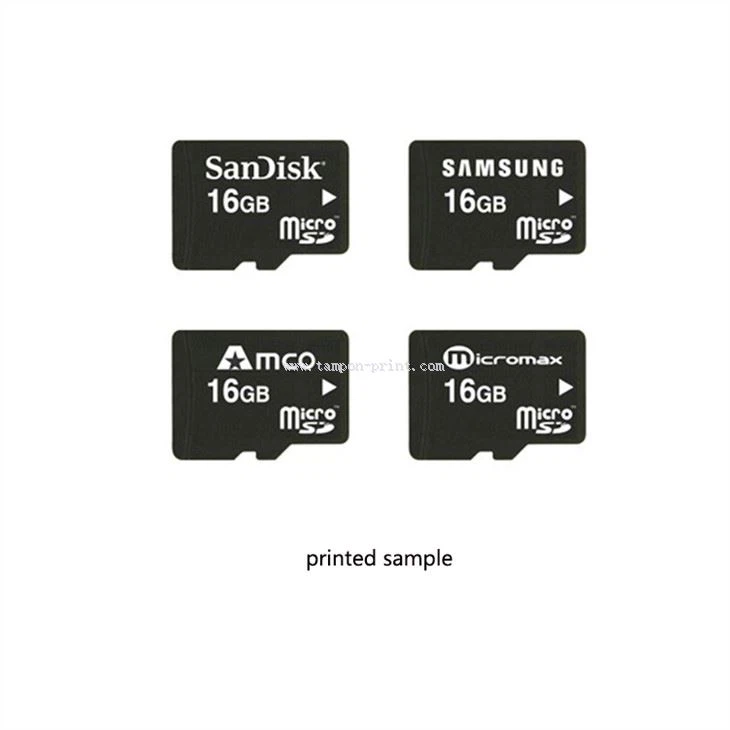
When using an SD Card Tampon Printing Machine, the small size of the printing area requires high - precision ink flow. Ensure that the ink channels are clean and unobstructed. Also, use inks with fine - particle sizes to avoid clogging in the small nozzles.
Automatic Caps Pad Printing Machine
In an Automatic Caps Pad Printing Machine, the continuous operation can lead to increased ink wear and tear. Regularly check the ink supply system for any signs of leakage or blockage. Keep the ink reservoir clean and well - maintained to ensure a consistent supply of ink.
Troubleshooting
Even with preventive measures in place, ink clogging may still occur. Here are some troubleshooting steps:
- Identify the Clog Location: If you notice a problem with ink flow, try to identify where the clog is located. It could be in the nozzles, tubes, or other parts of the machine.
- Use a Cleaning Solution: If the clog is in the nozzles, you can try using a cleaning solution recommended by the machine manufacturer to dissolve the clog. Follow the instructions carefully to avoid damaging the nozzles.
- Seek Professional Help: If you're unable to resolve the clogging issue on your own, don't hesitate to contact a professional technician or the machine manufacturer's support team. They can provide more in - depth troubleshooting and repair services.
Conclusion
Preventing ink clogging in a tampon printing machine requires a combination of proper environmental control, ink handling, machine maintenance, and the use of the right ink. By following the strategies outlined in this blog, you can minimize the risk of ink clogging, improve print quality, and increase the efficiency of your printing operations.
As a Tampon Printing Machine supplier, we're committed to providing you with high - quality machines and the support you need to keep them running smoothly. If you have any questions or need further advice on preventing ink clogging or choosing the right machine for your needs, please don't hesitate to contact us. We're here to help you make the most of your printing investment.
References
- Printing Industry Handbook, various editions
- Manufacturer's manuals for tampon printing machines
- Ink manufacturer's technical data sheets