

How to clean a tampo pad?
Nov 20, 2025
Cleaning a tampo pad is a crucial maintenance task that directly impacts the quality and longevity of your pad printing operations. As a seasoned tampo pad printing supplier, I've witnessed firsthand the difference proper cleaning can make. In this blog post, I'll share comprehensive insights on how to clean a tampo pad effectively, along with some best practices to keep your pads in top - notch condition.
Why Cleaning a Tampo Pad is Important
Before delving into the cleaning process, it's essential to understand why it matters. A dirty tampo pad can lead to a multitude of issues. Residual ink on the pad can cause inconsistent ink transfer, resulting in blurred or incomplete prints. Over time, dried ink and contaminants can harden on the pad surface, reducing its flexibility and ability to pick up and transfer ink properly. This not only affects the print quality but also shortens the lifespan of the pad, leading to more frequent replacements and increased costs.
Tools and Materials Needed
To clean a tampo pad, you'll need the following items:
- Cleaning Solvent: Select a solvent that is compatible with the ink you're using. Common solvents include isopropyl alcohol, acetone, or specialized pad - cleaning solvents. Make sure to choose a solvent that effectively dissolves the ink without damaging the pad material.
- Soft Cloths or Sponges: Use lint - free, soft cloths or sponges to avoid scratching the pad surface. Microfiber cloths are an excellent choice as they are gentle and absorbent.
- Clean Container: A container large enough to soak the tampo pad if necessary. It should be made of a material that is resistant to the cleaning solvent.
- Gloves: Wear chemical - resistant gloves to protect your hands from the cleaning solvent.
Step - by - Step Cleaning Process
Step 1: Preparation
- First, turn off the pad - printing machine and allow it to cool down if it has been in use. This ensures your safety and prevents any accidental activation of the machine during the cleaning process.
- Remove the tampo pad from the printing head carefully. Follow the manufacturer's instructions to avoid damaging the pad or the printing head.
Step 2: Initial Wiping
- Dampen a soft cloth or sponge with the cleaning solvent. Gently wipe the surface of the tampo pad to remove any loose ink or debris. Be careful not to apply too much pressure, as this can distort the pad shape.
- Wipe in a single direction to prevent spreading the ink around the pad. Start from the center and work your way outwards.
Step 3: Soaking (if necessary)
- If the pad is heavily soiled, you may need to soak it in the cleaning solvent. Fill the clean container with an appropriate amount of solvent and submerge the pad.
- Let the pad soak for a few minutes, but avoid over - soaking, as this can damage the pad material. Check the pad regularly to see if the ink is loosening.
Step 4: Deep Cleaning
- After soaking, take the pad out of the solvent and use a fresh, damp cloth to wipe it again. You can also use a soft - bristled brush to gently scrub the pad surface, especially in areas where the ink is stubbornly stuck.
- Pay special attention to the edges and corners of the pad, as these areas tend to accumulate more ink.
Step 5: Rinsing
- Once you've removed most of the ink, rinse the pad with clean water to remove any remaining solvent and ink particles. Make sure to rinse thoroughly to prevent any solvent residue from affecting future prints.
- Gently squeeze the pad to remove excess water, but avoid wringing it, as this can damage the pad structure.
Step 6: Drying
- Place the pad on a clean, dry cloth or paper towel to air - dry. Avoid using heat sources such as hair dryers, as excessive heat can cause the pad to warp or harden.
- Let the pad dry completely before re - installing it on the printing head. This may take a few hours, depending on the humidity and the size of the pad.
Best Practices for Tampo Pad Maintenance
- Regular Cleaning: Establish a regular cleaning schedule for your tampo pads. Depending on the frequency of use and the type of ink, you may need to clean the pads after every few hundred prints or at the end of each printing session.
- Proper Storage: When not in use, store the tampo pads in a cool, dry place away from direct sunlight and heat. Keep them flat to prevent deformation.
- Inspect the Pads: Regularly inspect the pads for signs of wear and tear, such as cracks, cuts, or excessive hardening. Replace damaged pads promptly to maintain print quality.
Impact on Printing Quality
A clean tampo pad is essential for achieving high - quality prints. When the pad is clean, it can pick up ink evenly from the cliche and transfer it precisely onto the substrate. This results in sharp, clear, and consistent prints. On the other hand, a dirty pad can cause ink smudging, uneven coverage, and poor adhesion, which can lead to rejected products and customer dissatisfaction.
Our Tampo Pad Printing Solutions
As a tampo pad printing supplier, we offer a wide range of high - quality pad - printing machines and accessories. Our Automatic 1 Color Metal Caps Pad Printer is designed for efficient and precise printing on metal caps. It features advanced technology that ensures consistent ink transfer and excellent print quality.
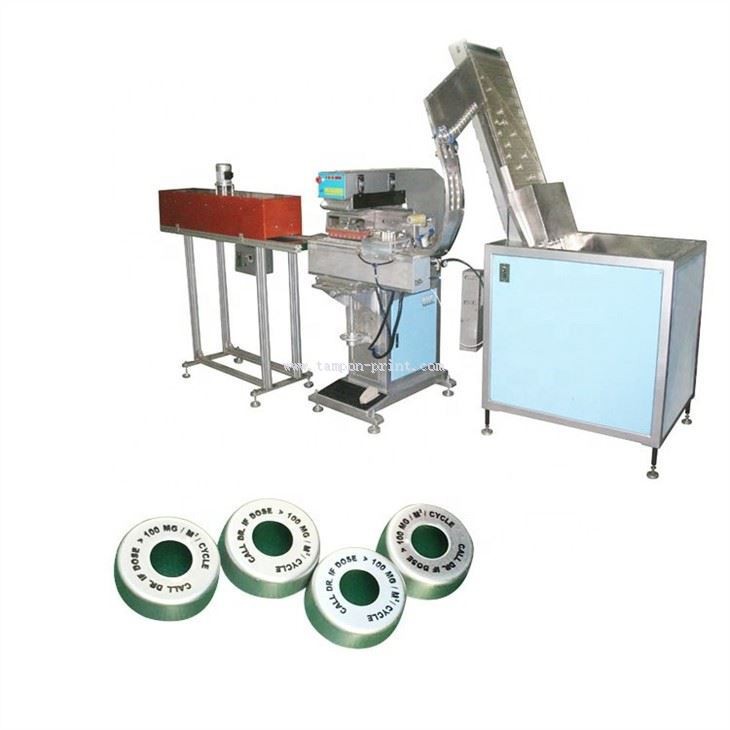

For size clips, our Automated Tampo Printing For Size Clips provides a reliable solution. This automated system can handle high - volume printing with ease, reducing labor costs and increasing productivity.
If you're looking for a versatile and reliable pad - printing machine, our Tampoprint Pad Printing Machine is a great choice. It offers a wide range of printing options and can be customized to meet your specific requirements.
Contact Us for Procurement
If you're interested in our tampo pad printing products or have any questions about cleaning and maintaining tampo pads, we'd love to hear from you. Contact us to discuss your printing needs and explore how our solutions can help you achieve the best results in your pad - printing operations.
References
- "Pad Printing Technology Handbook" by industry experts.
- Manufacturer's manuals for pad - printing machines and tampo pads.