

How to adjust the printing speed according to different materials on The Pad Printers?
Dec 24, 2025
Hey there! As a supplier of pad printers, I've seen firsthand how important it is to adjust the printing speed based on different materials. In this blog post, I'll share some tips on how to do just that.
So, why is it so crucial to adjust the printing speed? Well, different materials have different textures, densities, and absorbencies. If you print too fast on a material that can't handle it, you might end up with smudging, uneven ink distribution, or even damage to the material. On the other hand, if you print too slow, it can be a waste of time and energy.
Let's start with some common materials and how to adjust the printing speed for them.
Plastic
Plastic is one of the most commonly printed materials. When printing on plastic, you need to consider the type of plastic. For example, soft plastics like PVC might require a slower printing speed because they are more prone to deformation. A speed of around 40 - 50 prints per minute could be a good starting point. On the other hand, hard plastics like ABS can usually handle a faster speed, perhaps around 60 - 70 prints per minute.
Also, if the plastic has a smooth surface, the ink can transfer more easily, allowing you to increase the speed slightly. But if the plastic has a textured surface, you may need to slow down to ensure proper ink adherence. If you're interested in a machine for printing on plastic products, check out our Lego Toys Tampography Machine, which is great for high - quality printing on various plastic items.
Metal
Printing on metal requires a different approach. Metal surfaces are typically hard and non - porous. This means that the ink needs to be transferred carefully and firmly. A slower printing speed, around 30 - 40 prints per minute, is often recommended. This gives the ink cup enough time to pick up the right amount of ink and transfer it cleanly onto the metal surface.
Before printing, it's also a good idea to clean the metal surface thoroughly to remove any grease or dirt. You can use a degreaser or alcohol wipe. Our Automatic Buttons Ink Cups Pad Printing Machine is a great option for printing on metal buttons and other small metal parts.
Glass
Glass is another tricky material. It has a very smooth surface, but it's also brittle. You don't want to apply too much pressure or print too fast, as this could crack the glass. A slow and steady speed of about 20 - 30 prints per minute is ideal.
You may also need to use special inks that are designed for glass printing. These inks have better adhesion properties. Our Tampoprint Pad Printing Machine can be adjusted to the right settings for glass printing, ensuring high - quality results.
Wood
Wood is a natural material with a porous surface. The porosity of the wood affects how quickly the ink is absorbed. For softwoods like pine, you can print at a relatively faster speed, say around 50 - 60 prints per minute. But for hardwoods like oak, you might need to slow down to 40 - 50 prints per minute.
Before printing on wood, you can sand the surface lightly to make it smoother. This will help the ink transfer more evenly.
Adjustment Process
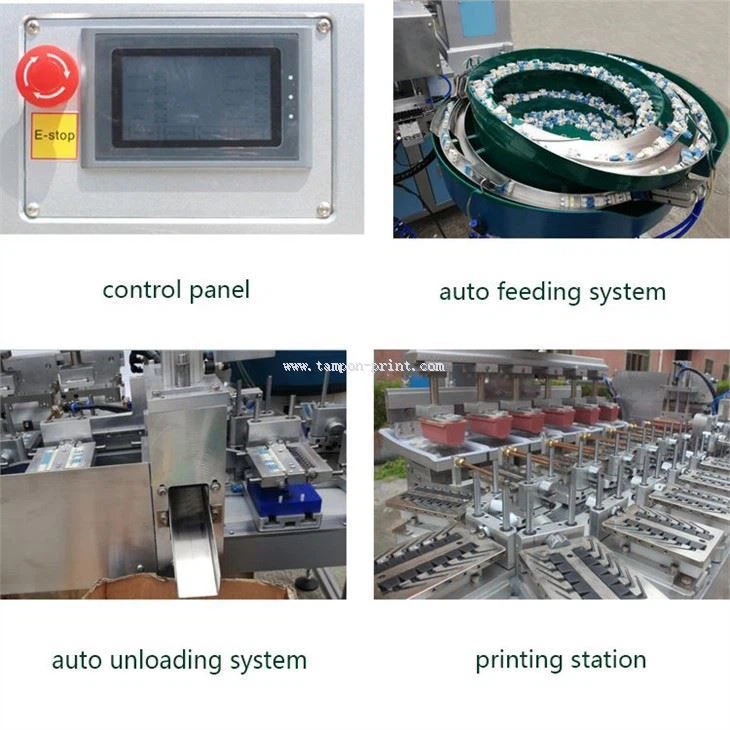
Now that we've covered some common materials, let's talk about how to actually adjust the printing speed on your pad printer. Most modern pad printers have a control panel where you can adjust the speed settings. Usually, there's a speed dial or a digital input where you can enter the desired prints per minute.
It's a good idea to start with a test print. Print a few samples on the material you're using and check the quality. If the print is smudged or the ink doesn't seem to be transferring properly, slow down the speed. If the print looks good and you think you can go faster, gradually increase the speed in small increments until you find the optimal setting.
Keep in mind that other factors can also affect the printing speed and quality. For example, the viscosity of the ink, the temperature and humidity of the printing environment, and the condition of the printing pads and ink cups. You need to make sure all these factors are optimized for the best results.
In summary, adjusting the printing speed according to different materials is essential for achieving high - quality prints. By understanding the properties of the materials and making the necessary speed adjustments, you can improve your printing efficiency and reduce waste.

If you're in the market for a new pad printer or need help with adjusting the speed settings on your existing machine, don't hesitate to reach out. We're here to assist you in finding the best solutions for your printing needs. Whether you're printing on plastic, metal, glass, or wood, our pad printers can be customized to deliver outstanding results. Let's have a chat and see how we can take your printing business to the next level!
References
- Pad Printing Handbook, Various Industry Experts
- Technical Guides from Pad Printer Manufacturers